
Make your project data part of your AI strategy.
AI is only as good as the numbers you feed it. Projexion gives it the cleaned-up, reconciled numbers your portfolio already runs on, then lets you ask in two places: Iris inside Projexion, or Claude and the other AI tools your team already uses, through our MCP server.
Ask Iris, get the chart and the dashboard back.
Iris is the assistant built into Projexion. Type "Which projects are over budget in California?" and you get the answer, a chart, and a link to the dashboard behind it, without leaving the app.
It's the easy starting point for PMs and executives who just want an answer before the Friday WIP meeting.

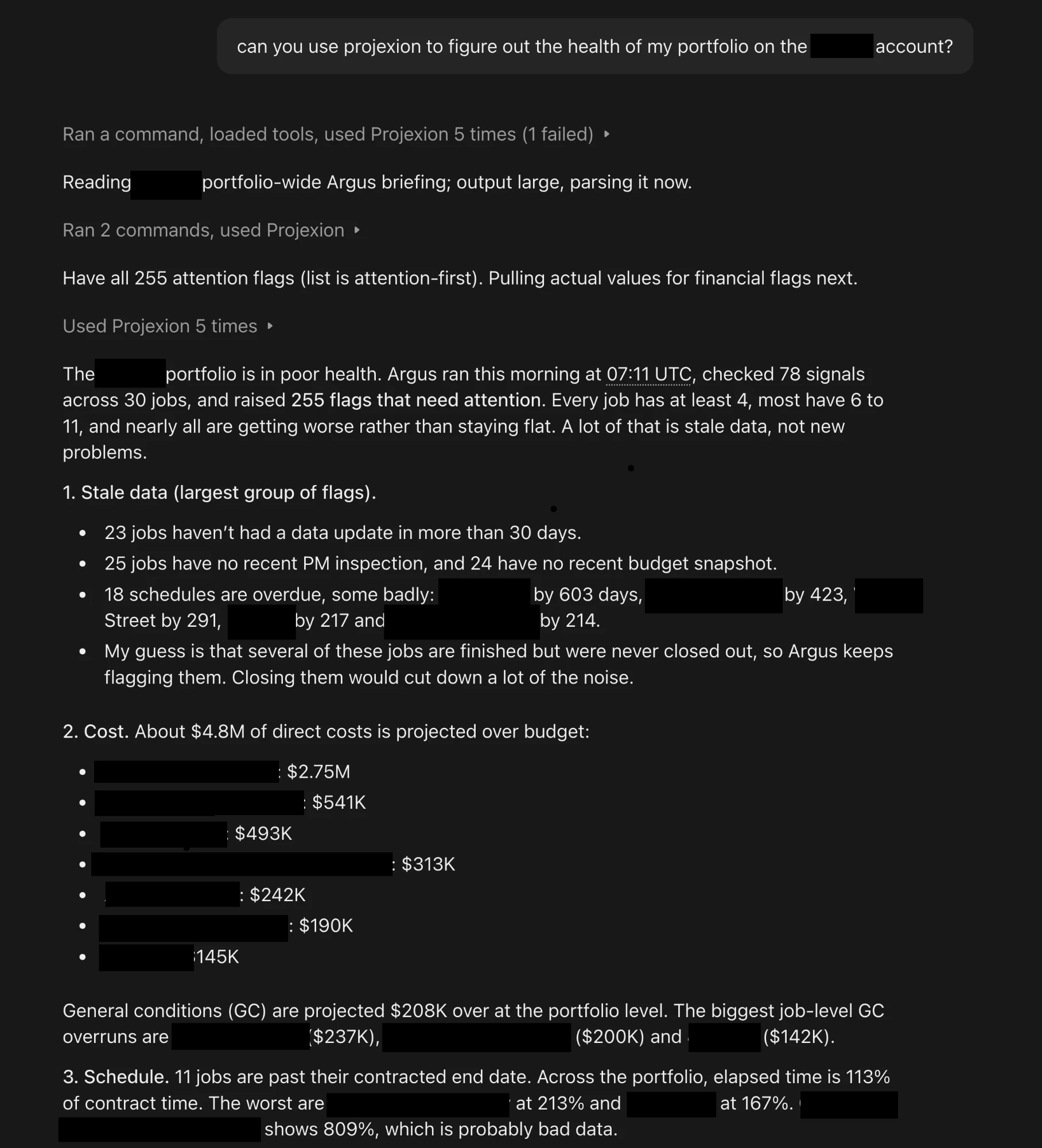
Already living in Claude? Bring the portfolio with you.
Our MCP server hooks Projexion up to Claude, ChatGPT, Cursor, and any other client that speaks the Model Context Protocol. Your assistant reads dashboards, runs calculations, and finds projects by meaning, all against live data.
That's where it gets interesting. Claude can pull cost-to-complete from Projexion, then draft the owner email or the board memo in the same conversation.
Which one should you use?
Most teams use both. Here's the usual split.
Get Projexion into Claude
About two minutes, and nothing to install.
Whichever AI asks, it sees what you see, and nothing more.
Iris and the MCP server read the same reconciled data that powers your dashboards and Argus briefings, so an answer in Claude matches the number in your WIP report.
Every call checks your own permissions on the server. If you can't see a project or a cost figure in Projexion, neither can the model behind it.
Give your AI numbers it can trust.
Book a demo and we'll show you Iris and Claude answering questions on data like yours.