
Use case · Operations
Forensic analysis on disputes.
When a dispute comes up, a delay claim or a scope disagreement, you need to reconstruct exactly what was known when. That history usually sits in superseded P6 files, old Sage exports, and email.
What's on the dashboard
Examples from the dashboards contractors run in Projexion today.
Baseline vs each update
Every schedule version with its data date, against the baseline.
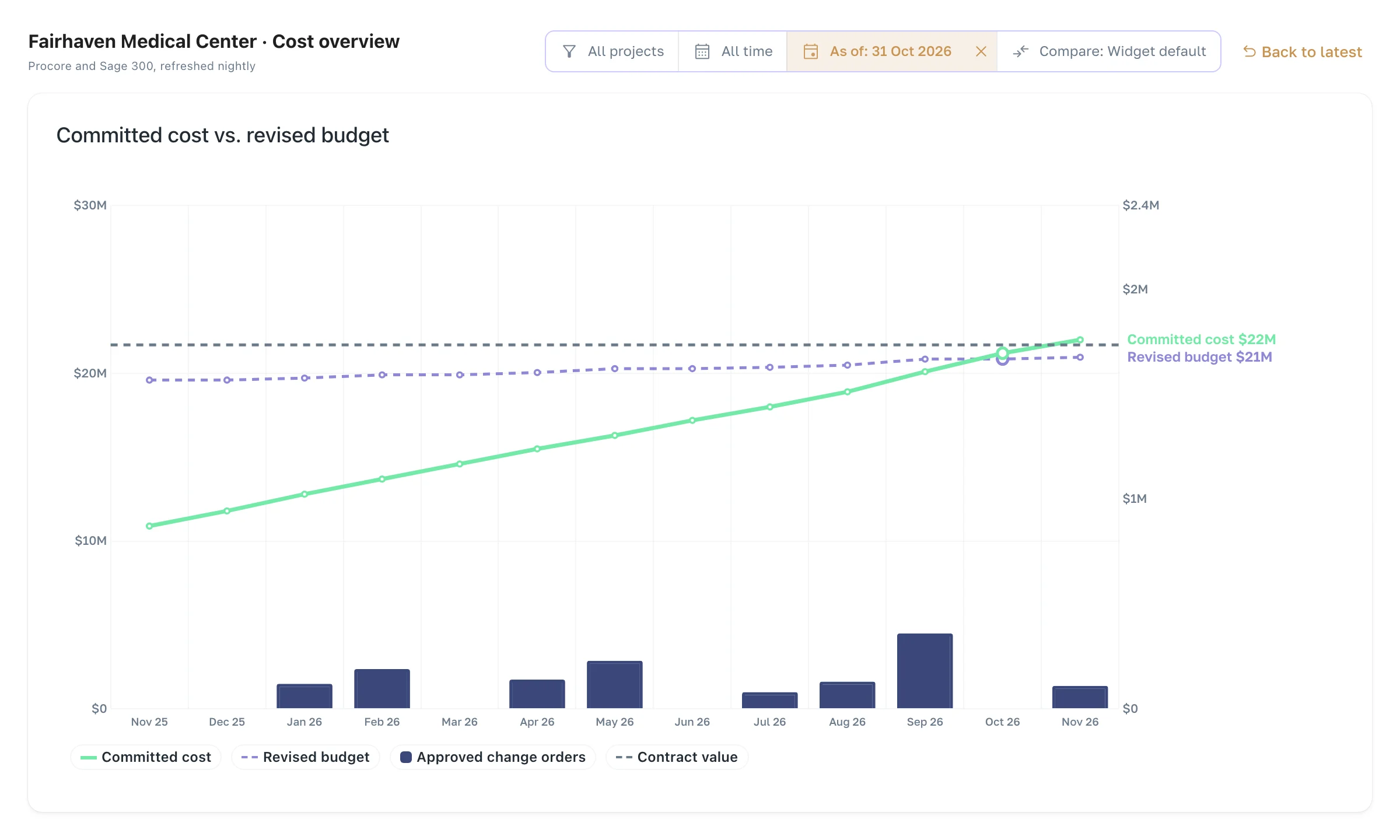
Cost vs budget over time
How the budget and the forecast moved, month by month.
Change history
When each change event, PCO, and change order appeared and moved.
Daily logs & weather
Manpower and observed conditions on the days in question.
RFI timing
How long each RFI sat, and who it sat with.
As-of dashboards
Any dashboard, exactly as it read on a past date.
The time machine
Rewind the dashboard to the day it mattered
Projexion keeps dated snapshots and every schedule version, so the history's already captured and reconciled. Set the dashboard to a past date and it shows exactly what you knew then. Ask IRIS how the schedule and budget changed between the baseline and today, and get a sourced answer.
Dated snapshots of your project data
Every schedule version with its data date
Audit-ready by default
The features behind it
History & time machine
Imports keep dated snapshots, so you can open any dashboard the way it looked on January 1st.
Explore →
Schedules & earned value
Pull in P6/MSP schedules and track baselines, variance, and earned value across the portfolio.
Explore →
IRIS — Your BI Agent
Ask your portfolio a question, get the chart and the dashboard back. Ask, don't dig.
Explore →
Data foundation
Clean up and reconcile 10+ systems into one source of truth. Same job, four codes, one project.
Explore →
Exports
Any table or score card to Excel, CSV, or PDF, from the app, IRIS, or Claude.
Explore →
Dashboards & analytics
Portfolio overview and project-on-a-page views with full drill-down.
Explore →
A defensible reconstruction in hours.
See snapshot history and the time machine on your data.