
Govern · Access control sync
Your Procore roles decide who sees what.
You already decide who's a PM on which job, in Procore and in your company directory. Projexion reads those roles and grants access to match, every night, so nobody keeps a second list of who should see what.
Define a role once
Map the roles you have to the access you want.
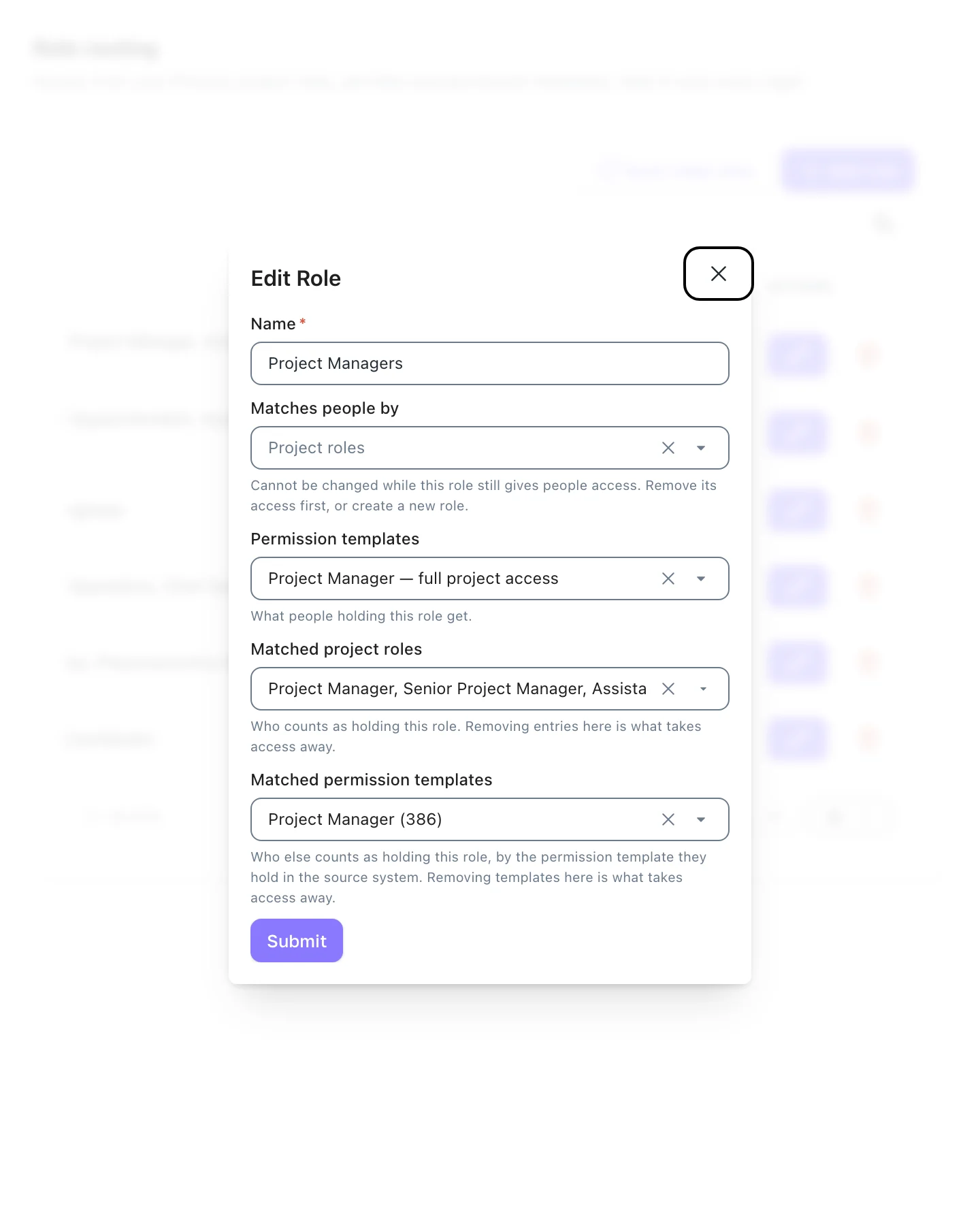
A role says which Projexion permission templates it grants and who holds it, matched by Procore permission templates, by project roles, or by job titles in your directory. Rename a template in Procore and the match still holds.
Before you save an edit, Projexion shows who the role reaches and exactly which access the change would take away.
Matches Procore permission templates by id
Project roles and company job titles
Preview who gains and who loses access
Only people on email domains you own
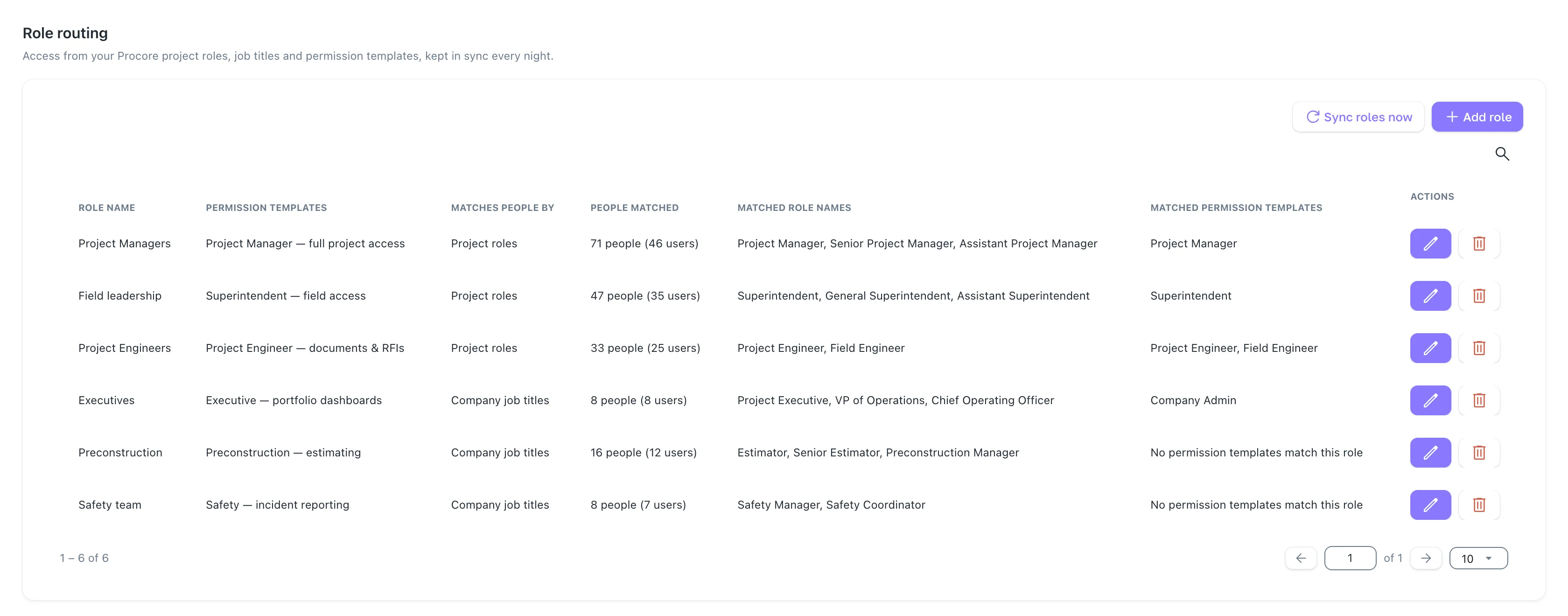
Every role on one screen
Which Procore roles and permission templates each role matches, what it grants, and how many people it reaches today.
Someone joins a project in Procore. Here's what happens.
1
Procore changes
An admin adds Lucia as Project Manager on Fairhaven Medical in Procore, like any other day.
2
The nightly import picks it up
Her new role on that project comes in with the rest of the data.
3
Access is reconciled
Her role grants the PM template on that project. She opens the dashboard the next morning.
Built for the people who get the access tickets
Reconciles nightly
Or queue a reconcile yourself when someone needs in right now.
Check who a role reaches
See every person a role matches, and why, before it grants anything.
Problems flagged
A role that matches nobody says why, no domain claimed, wrong name list, or data not imported yet.