
Use case · Operations
Project on a page, for the office and the field.
An office executive and a field executive ask different questions about the same job. Projexion gives each one their own project page, built once as a template and applied to every project automatically.
What's on the dashboard
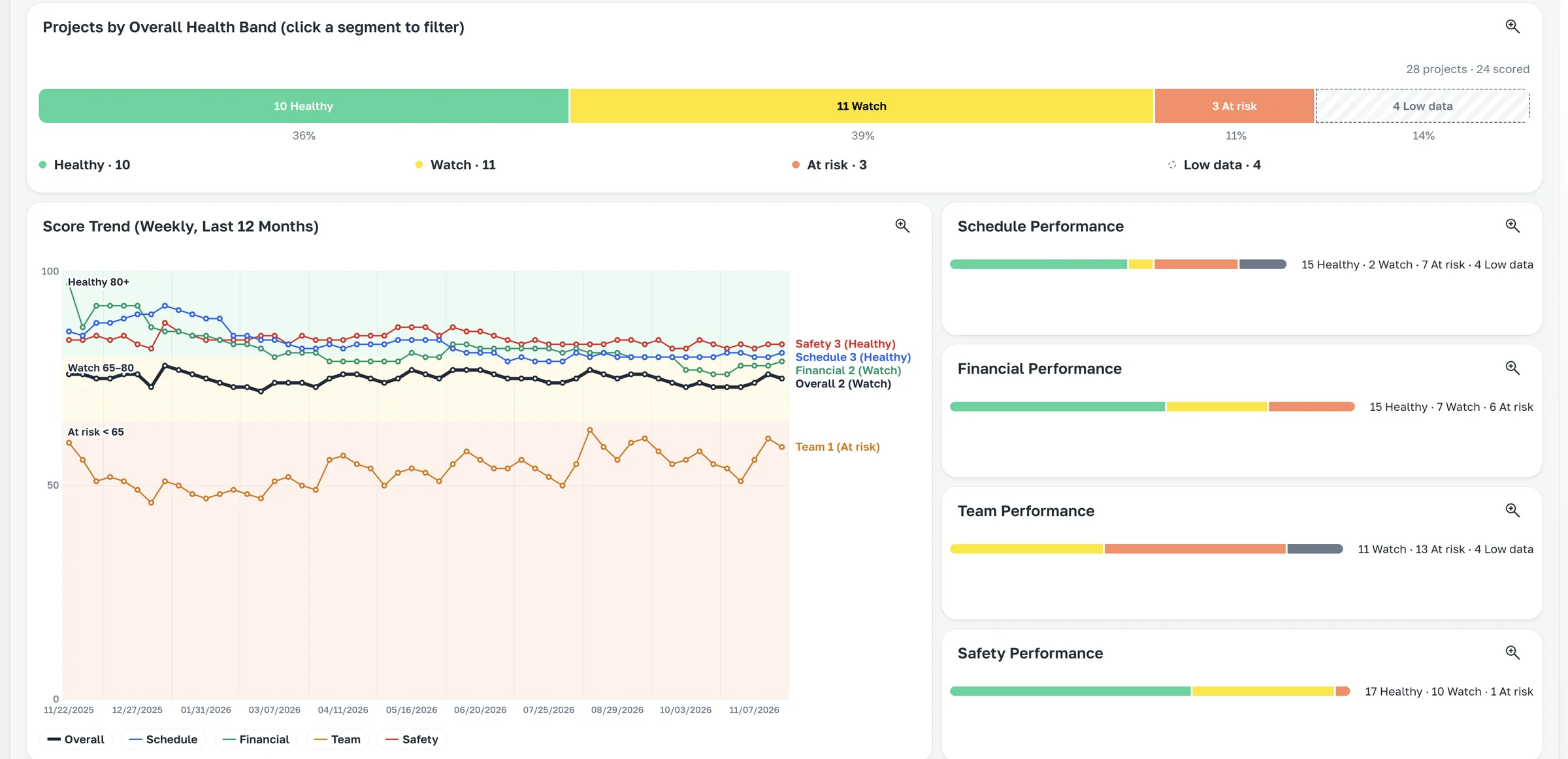
Examples from the dashboards contractors run in Projexion today.
Executive summary
Contract, fee, % complete, and forecast finish at the top.
Financial performance
Budget, buyout, contingency, and change orders for the job.
Schedule performance
Data date, critical path, and planned vs actual.
Team performance
Daily logs, photos, inspections, and meetings for the site team.
Safety
Injuries, observations, and man-hours for this job.
Document control
Open and late RFIs and submittals.
Template once, every project
Set up once, every job gets one
Build the project page as a template at the portfolio level, and every project gets it, with its own data. Change the template and every project page updates. Print it for the project review, or send it on a schedule.
Office and field versions
Printable project summary
Same definitions on every job
The features behind it
Dashboards & analytics
Portfolio overview and project-on-a-page views with full drill-down.
Explore →
500+ KPI library
Construction-specific KPIs and dashboards out of the box. You never start from a blank page.
Explore →
16+ widget types
Charts, score cards, tables, maps, weather, and more. Browse the whole library.
Explore →
Automatic distributions
The Monday report sends itself, with live numbers, to exactly who should see them.
Explore →
Exports
Any table or score card to Excel, CSV, or PDF, from the app, IRIS, or Claude.
Explore →
History & time machine
Imports keep dated snapshots, so you can open any dashboard the way it looked on January 1st.
Explore →